
You can open your OVH company mailbox (e.g. biuro@yourcompany.example) on any phone without Gmail. There are three ways: the first one does not require any settings, the other two take five minutes.

Before you start
New box? Log in once per webmail.mail.ovh.net and set your own password. Only then add the account on your phone - otherwise the phone will remember the startup password, which will soon stop working.
Method 1: browser shortcut
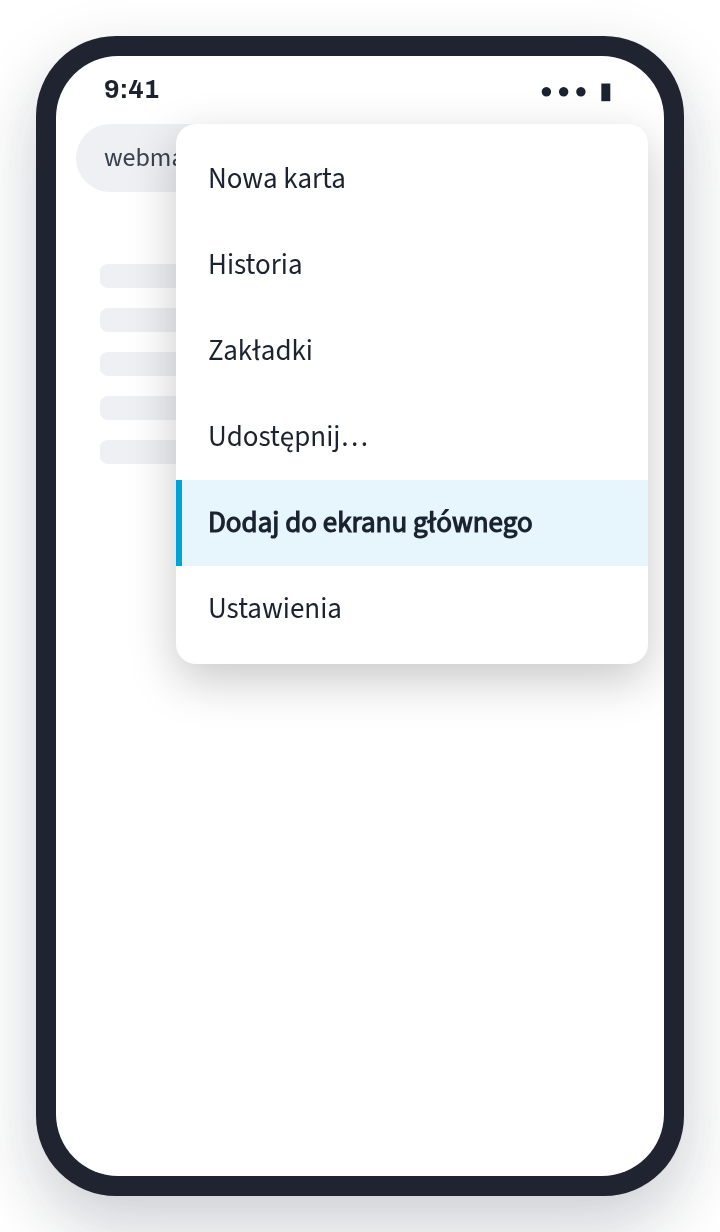
Zero settings, on every phone. Log in to webmail.mail.ovh.net and add the page to the screen: on Android, menu (three dots) → “Add to home screen”, on iPhone Share → “To home screen”. Cons: no notifications about new mail.
Method 2: iPhone - Mail app
- Add an accountSettings → Applications → Mail → Mail accounts → Add account. Enter the address and tap Next.
- Another account“Add another account” → “Mail account”. Name, address, password, description → Next.
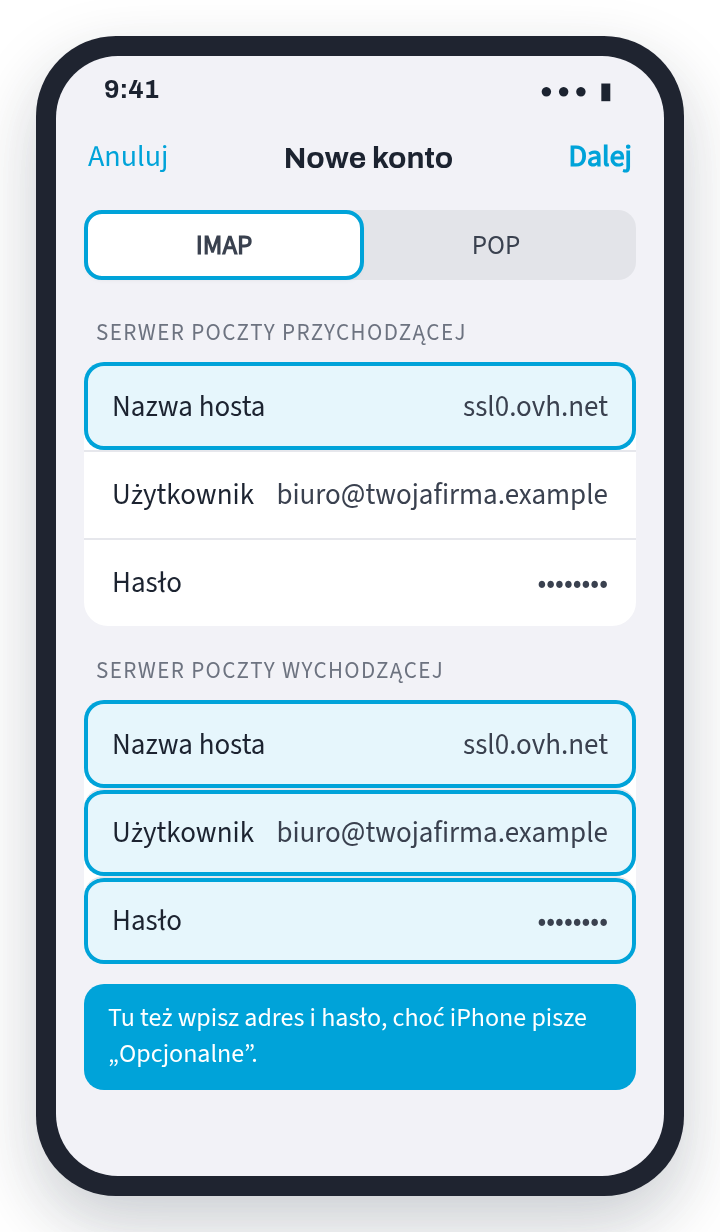
- IMAP and serversChoose IMAP. In both servers
ssl0.ovh.net, full address and password - also when outgoing, although the iPhone says “optional”. Next → Save.
Method 3: Android without Gmail
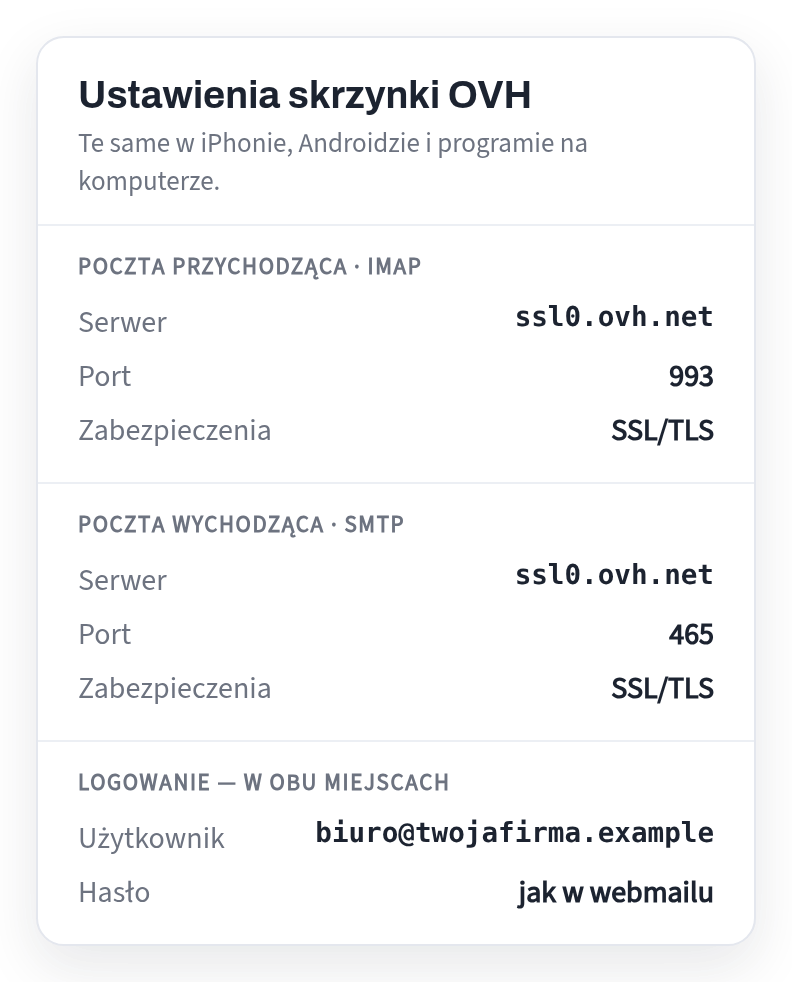
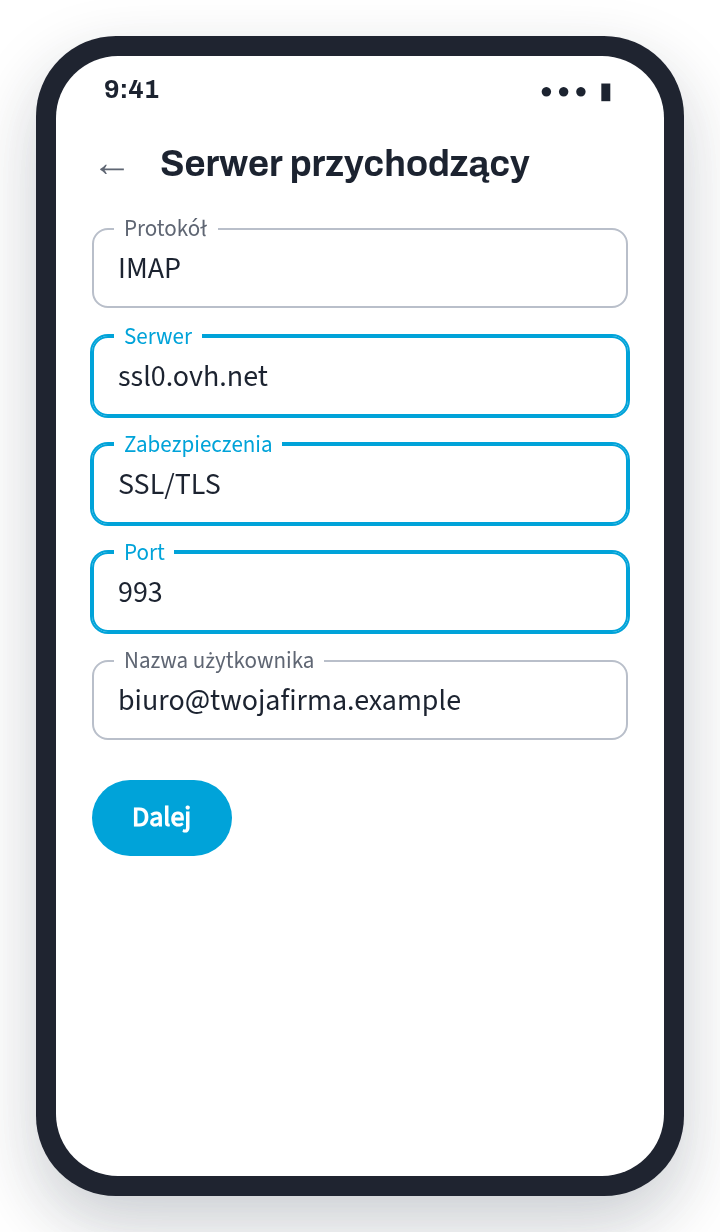
Samsung has a built-in Samsung Email application. Any other Android: free Thunderbird from Mozilla (makers of Firefox), no ads. Enter the address and password; if the application does not find the settings itself, select manual configuration, IMAP and data from the card above.
Something's not working?
- Login error - check the same password on webmail.mail.ovh.net. Does it work there? Correct them on your phone.
- Receives, not sends — on the outgoing server, port 587 and STARTTLS; address and password entered there as well.
- There is mail in the browser, but not in the phone - account added as POP. Delete them and add them as IMAP.
Mail on your domain - included in the price of the website
We set up a mailbox on your domain and give you full access to it: receiving and sending, on your phone and in your browser. You set the password yourself - you don't send it to us.
Don't have a website or domain yet? We'll make it within 24 hours of the materials, and you pay €149 only when you decide it's OK - with the first year of domain, hosting and email included in the price.
Sources
Each fact in this text comes from one of the sites below. Laws change - if you are reading this long after the review date, please check the source.
Read also
- Business email with OVH on Android - in the Gmail appHow to add a company mailbox from OVH (e.g. biuro@yourcompany.example) in the Gmail application on your phone so that sending goes straight through the mailbox server - with ready-made IMAP and SMTP settings.
- Google Workspace: paid business email - setting up in 6 stepsGoogle Workspace is paid business email in Gmail on your domain. How to set it up in 6 steps and what to send to the company that runs your domain - without any passwords.
- Werkspot: how much does one job really cost?You pay from €3 to €96 for contacting a customer - even if you don't receive the order. How to calculate the cost of one Werkspot order and how to make the next one come free of charge.
- Privacy policy on the website of a company in the Netherlands - what must be thereEven a regular contact form collects personal data, and Dutch law (AVG) then requires you to tell us what happens to it. What needs to be on the Privacy page and when you really need cookie consent.
- Website in Polish or Dutch - who is your company for?Polish clients, Dutch clients, or both? This determines what language the website should be in. We show you how to decide and what the bilingual version offers.
- Subscription website - how much will you really payA website “for €0” and then a permanent subscription fee for its maintenance. We show you how much it really costs for one, three and five years and what three questions to ask before signing.
- Business email in Gmail without Workspace - sending from your own domainDo you have a business address on your own domain and write from your private Gmail? Three steps to send as office@ - without paid Google Workspace. With diagrams.
- What must be on the website of a company in the NetherlandsKvK, btw-id, address, telephone and privacy policy - what Dutch law requires on the company website and where to enter it. With legal basis for each point.
- Google Listing: How to Get Found Before You Have a PageA free business card on Google is the fastest way for a customer in the Netherlands to find you. What to enter, how to verify the company and what to do with opinions.
- How much does a website cost in the NetherlandsWhat really affects the price of the website, what can be saved without loss, what is not worth paying for and how much it costs us. With specific amounts.
- Why is no one calling from your side?Eight reasons why the website exists and the phone is silent. Everyone can check it themselves in a few minutes, on their own phone.
- Website or online store - what you really needA store costs several times more than a website and requires constant maintenance. When is it really needed and when is a simple website enough?
- How to get clients for renovations in the Netherlands without paying for advertisingFour places where a Polish renovation team in the Netherlands can show up for zero euros - and one where they usually waste time.
- I have a business on Facebook - do I still need a page?The Facebook page is free and fast. However, it has three limitations that no one talks about when setting up.
- How to find out whose domain it is - and get it back from the contractorHow to check who the .nl domain is registered to, and then: transfer code, five days to issue it, sample letter from SIDN - when the company that created your website stopped receiving.